Blur License Plate numbers across dashcam clips, track-day recordings, real-estate street views, and used-car marketplace photos in seconds. All vehicle photos and short clips up to 30 seconds process 100% free inside your browser with zero uploads and no watermark, while Pro Cloud AI tracks fast-moving plates in 1080p and 4K highway footage.
100% private local mode for photos & clips up to 30s · Zero watermark on every export
100% Free Local Mode · No WatermarkPro Cloud AI · Selective Speaker Lock
suv-street-listing.jpg · 1280×720
Drop your video or photo here, or test instantly below — Drag inside any box to move it, drag its corner square to resize, or drag anywhere to draw a new blur region.
Redaction Style
Blur Strength66%
Detected People & Plates (Click to Keep Speaker Sharp)
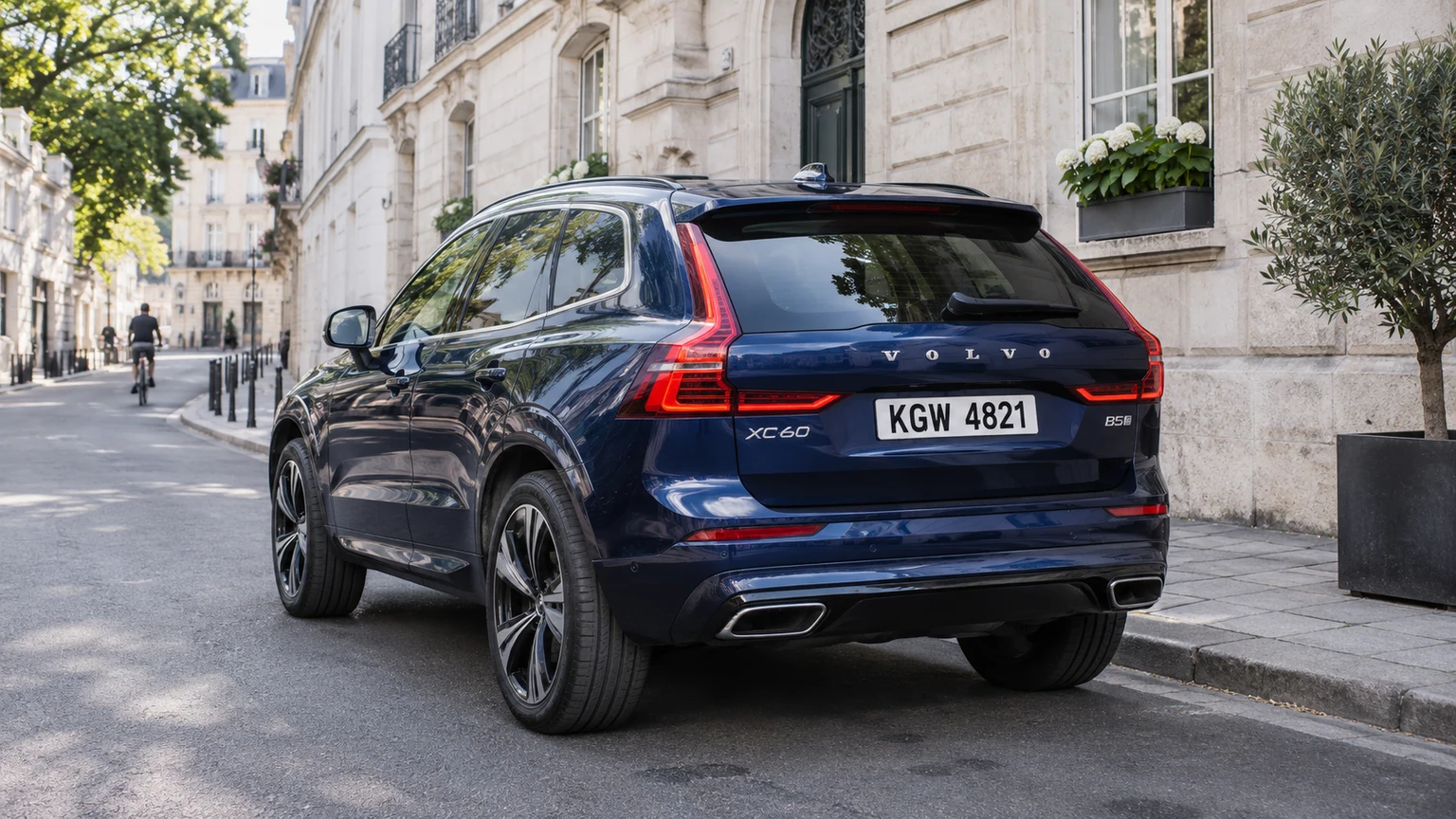
Plate KGW 4821
Road Cyclist
Processed 100% on your device. Zero upload, zero watermark.
Private On-Device Mode
Photos and short clips up to 30 seconds process directly inside your browser—files never leave your device.
Selective Speaker Lock
Click your own face once to stay sharp while background pedestrians, children, and license plates blur automatically.
Zero Watermark Exports
Download clean MP4, WebM, or PNG files ready for YouTube, TikTok, Reels, dashcam claims, and client reports.
↔
Original FrameRedacted Output
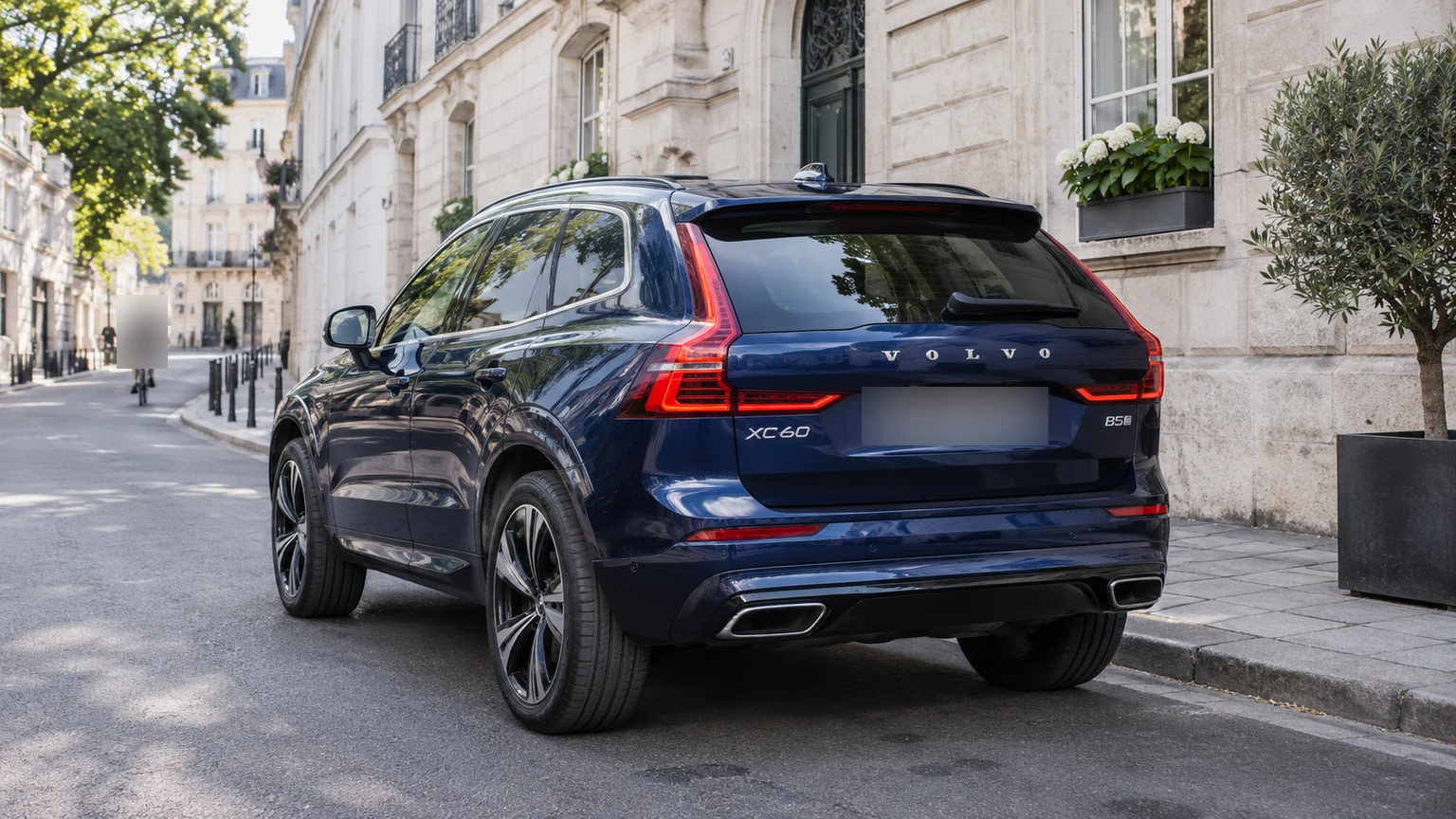
Vehicle listing & dashcam preset: rear plate masked at strength 30 while bodywork, taillights, and driver silhouette remain untouched.
Original FrameRedacted Output
›How to Blur License Plate Numbers in Dashcam Clips & Car Photos
Holding your thumb over the bumper in a Craigslist or Facebook Marketplace listing looks suspicious to serious buyers—and scrubbing highway dashcam footage manually in desktop video editors wastes entire evenings. When you blur license plate regions in our workspace, your vehicle looks clean, trustworthy, and privacy-safe.
Auto Face Scan
01
1. Drop Vehicle Photos or Dashcam Clips Into the Studio
Load JPG, PNG, or WebP walkaround photos—or MP4/MOV clips from Viofo, Garmin, Nextbase, or TeslaCam. Every still photo and any video up to 30 seconds runs locally in your browser so raw GPS/road clips stay private.
Speaker Kept Sharp
02
2. Lock Plate Regions to Blur License Plate in Video or Stills
Position or verify bounding boxes over front and rear plates—including angled three-quarter walkaround views, trailer tags, and neighboring lane traffic. Need to hide drivers or pedestrians at the same intersection? Combine tracks with Blur Face in Video.
Clean MP4 / PNG
03
3. Export Clean Dealership-Grade Visuals Without Watermark
Pick smooth Gaussian blur so bumper contours look natural in car-sale galleries, or choose coarse mosaic / blackout bars for strict legal filings, then save immediately with zero watermark.
›Why Drivers, Sellers, and Fleet Managers Blur License Plate Data
A visible registration tag is more than random stamped metal: in many jurisdictions it links to VIN history, trim packages, inspection stations, toll transponders, and—through commercial data brokers or bad-faith cloning—vehicle registration fraud. Scammers routinely scrape high-resolution online listings to stamp duplicate plates onto stolen vehicles of the exact same make, model, and color (“plate cloning”), leaving the legitimate owner fighting automated speed-camera and toll citations.
Using a dedicated tool to blur license plate tags before posting to Reddit’s r/IdiotsInCars, YouTube dashcam channels, Turo, AutoTrader, or HOA security boards protects both your own registration and third-party motorists.
Blur License Plate in Photo Galleries Without Covering Your Thumb
Clean rectangular Gaussian blur keeps chrome plate frames, backup cameras, and bumper paint completely visible so buyers can inspect rear body panel gaps with confidence. Redacting VIN stickers or title paperwork too? Use Blur Part of Image.
Automatic License Plate Blur Across Highway Speeds & Night Glare
Headlight retro-reflection, rain spray, and 60 mph closing speeds cause basic editors to lose track of small rear tags. Keyframe trajectory interpolation plus anti-flicker hold keeps the mask centered over the bumper across lane changes.
Dashcam License Plate Redaction for GDPR & Fleet Compliance
In Germany, Austria, Japan, and across the EU, publishing unredacted dashcam footage with readable third-party plates can trigger data-protection fines. Masking plates and faces via Blur Video Online lets logistics fleets and insurers share incident clips lawfully.
›Gaussian vs. Mosaic vs. Blackout Bar for Vehicle Registration Tags
High-contrast black-on-white or black-on-yellow stamped characters require sufficient kernel radius so automated ALPR/ANPR optical character recognition cannot guess letters from blurred edges when you blur license plate imagery.
Hide Car Number Plate Online on Both Front and Rear Bumpers
Don’t forget reflections on wet asphalt, tow-truck beds, or neighboring cars parked across the driveway—add unlimited extra plate boxes in one pass at zero extra cost.
Censor License Plate for Car Sale Walkaround Videos
Modern car marketplaces reward 360-degree walkaround reels. Record a 25-second exterior walkaround on your phone and blur the moving plate locally in your browser for free.
›Tips for Tricky Angles, Motorcycles, and Multi-Lane Traffic
Wide-angle 140°–170° dashcam lenses distort plates near the left and right edges of the frame. When you blur license plate details on oncoming traffic or motorcycles, widen your bounding box slightly (~12%) so perspective warp during cornering stays completely inside the redacted zone.
Nighttime highway clips introduce another subtle trap: retro-reflective aluminum plates bounce high-beam headlights back into CMOS sensors, creating bright bloom around stamped characters that shifts as cars brake. Adding a small vertical buffer above and below the bumper prevents brake-dive bounce from exposing state slogans or registration renewal stickers.
GoPro, Insta360, and 60fps dashcam files preserve crisp shutter sharpness on every frame—making unblurred plates readable on pause. Pro Cloud AI processes every single frame cleanly into standard H.264 MP4.
Protecting Reflections on Show-Car Hoods and Dealership Glass
Freshly ceramic-coated paint and showroom windows often mirror nearby plates or customer faces; pair plate boxes with Blur Face Online for spotless automotive photography.
›Blur License Plate — Common questions, answered
How do I blur a license plate in a video without desktop editing software?
Open Blur License Plate, load your dashcam or walkaround MP4/MOV clip, align or enable the plate track, and export. Clips up to 30 seconds render free in your browser, while longer 1080p/4K drives run via Pro Cloud AI.
Why do people blur license plates when selling a car online?
Blurring plates prevents plate cloning (where thieves copy plates from an identical make/model listing to evade tolls and speed cameras), blocks unwanted VIN/registration scraping, and deters social-engineering scams.
How do I blur a license plate in a photo for free on iPhone or Android?
Upload your car photo straight from your phone’s gallery on this page, drag the plate box over the bumper tag, pick Gaussian blur or Censor Bar, and download the full-resolution PNG/JPG locally—100% free and watermark-free.
Why are license plates blurred on YouTube dashcam channels and Google Street View?
Privacy laws such as EU GDPR and platform anti-harassment rules classify vehicle plates tied to identifiable locations and timestamps as personal data. Blurring third-party plates avoids privacy takedowns and legal complaints.
Can AI or OCR tools read a blurred license plate if the blur is too light?
Light blur can leave character spacing recognizable. Always set Gaussian strength to 28 or higher, coarse Pixelate (30+), or Solid Censor Bar so zero alphanumeric edges remain.
Are my TeslaCam or dashcam videos uploaded to external servers?
Not in Free Browser-Local Mode (<= 30s video and all photos)—processing happens strictly inside your device’s browser memory with zero network upload.
Can I blur multiple cars across three highway lanes in one video?
Yes. You can add and track multiple plate boxes simultaneously, plus driver or pedestrian face masks in the same export.
Does it work on US, EU, UK, Japanese, and motorcycle plates?
Yes. Bounding boxes adjust freely to wide European/UK strips (520×110mm), tall North American/Japanese rectangles, and compact motorcycle tags.
Will free car-listing photo exports have a BlurVideoOnline logo?
No. Every photo and video export is 100% free of watermarks so your listing meets AutoTrader, Cars.com, eBay Motors, and Facebook Marketplace photo rules.
Can I also hide the VIN sticker on my windshield or door jamb photo?
Absolutely—drop a second box or Solid Censor Bar over the VIN barcode, inspection sticker, or dealer frame phone number before downloading.
How many credits does a 2-minute 1080p dashcam clip require in Pro Cloud?
A 120-second clip uses 20 credits (1 credit per 6 seconds). Since every new account gets 30 free welcome credits, you can process your first 3 minutes of 1080p dashcam footage free.